Breaking Change Protection
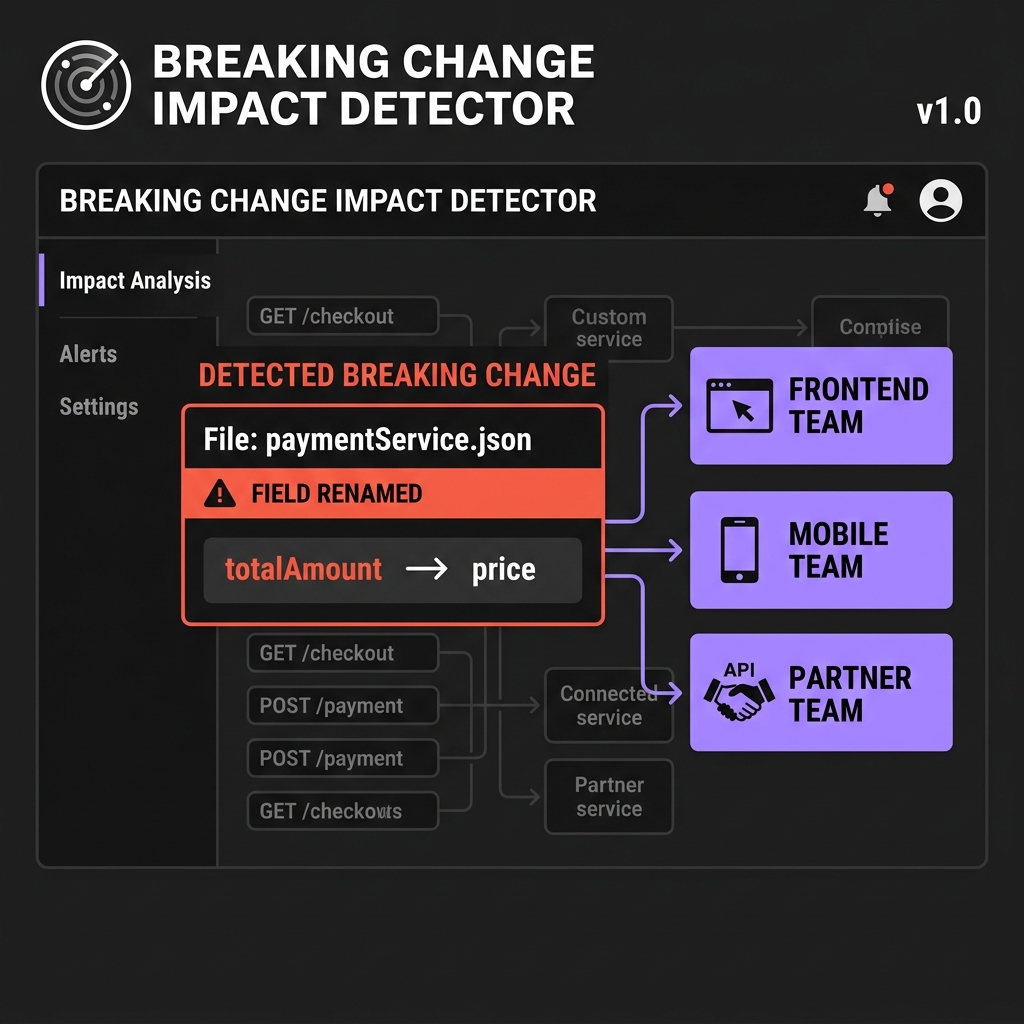
Before any contract update is published, Invokix runs an automatic breaking change analysis. If dangerous changes are detected, you see exactly which teams will break and which files need updating — before a single line of production code is affected.
What triggers the gate
Not every contract change is breaking. Invokix classifies every diff automatically:
| Change | Classification |
|---|---|
totalAmount renamed to price | Breaking |
| Field type changed | Breaking |
| Required field added to request body | Breaking |
| Field removed from response | Breaking |
| Endpoint removed | Breaking |
| Optional field added to response | Non-breaking |
| New endpoint added | Non-breaking |
| Description or example updated | Non-breaking |
What you see before publishing
When Invokix detects a breaking change, the publish button opens a review modal instead of publishing immediately:
Breaking Changes Detected — Review Before Publishing

Changes you are about to publish:
✗  totalAmount: number  →  renamed to  price: number
✗  userDetails object   →  renamed to  user object

Teams currently on v1.1 who will be affected:
→  Frontend Team    (pulled 3 days ago)
→  Mobile Team      (pulled 1 day ago)
→  PayCo Partner    (viewer link, on v1.0)

[ Cancel ]    [ Force Publish — I know what I'm doing ]
You see every breaking change, every affected team, and exactly when they last pulled. You can cancel and fix the contract, or force publish if you have already coordinated with the affected teams.
What happens after force publish
When you force publish a breaking change, Invokix does three things immediately:
- Creates a version snapshot so you can roll back if needed
- Sends Slack, Discord, and email alerts to every affected team with the exact diff
- Updates the mock server so it returns the new shape immediately
Teams that have configured Slack or email alerts receive a message like this within 30 seconds:
Invokix — Breaking Change Published
Orders API  v1.1 → v1.2  (published by Alex)

Breaking changes:
✗  totalAmount: number  →  price: number
✗  userDetails object   →  user object

Your contract outputs have been updated.
Pull the latest types to fix your project.
Pulling the latest types after a breaking change
Once you receive the alert, pull the latest generated outputs into your project using the CLI:
npx invokix pull

✔ Contract: Orders API v1.2
✔ Writing: src/types/orders.ts      — updated
✔ Writing: src/hooks/useOrders.ts   — updated
✔ Writing: src/schemas/orders.ts    — updated

Breaking changes in this version:
✗  totalAmount renamed to price
✗  userDetails renamed to user

Update your code to use the new field names.