
Plain English
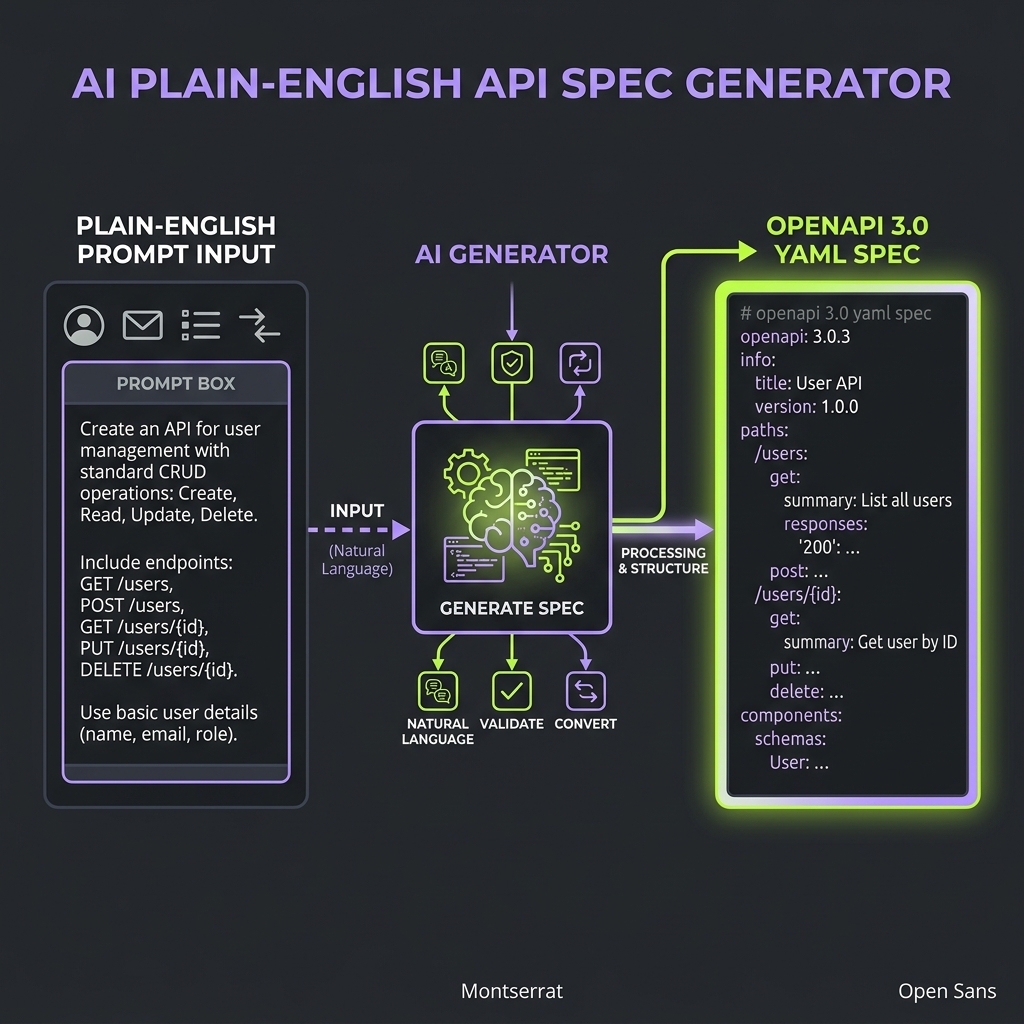
Describe your API in plain English. Invokix generates a complete, production-ready OpenAPI contract in seconds — with proper types, error schemas, authentication, and realistic example values. Your frontend team can start building before your backend team writes a single line of code.
How it works
Type a natural language description of your API. Be specific about what operations users can perform, what data is involved, and what authentication your API uses. Invokix generates a complete OpenAPI 3.0 contract and opens it in the editor for you to review before publishing.
The generated contract includes:
- Every endpoint with correct HTTP methods and paths
- Request and response schemas with proper types
401and500error schemas on every endpoint- JWT or API key security schemes if you mention authentication
- Realistic example values on every field — not just
stringandnumber - A starting Health Score so you know what to improve
Example
Orders API — users can create orders, view their order history, and
cancel pending orders. Each order has line items, a total price, and
a status. JWT authentication. Razorpay for payments.openapi: 3.0.0
info:
title: Orders API
version: 1.0.0
security:
- bearerAuth: []
paths:
/orders:
get:
summary: List user orders
tags: [Orders]
responses:
'200':
description: List of orders
content:
application/json:
schema:
type: array
items:
$ref: '#/components/schemas/Order'
'401':
description: Unauthorized
'500':
description: Internal server error
post:
summary: Create a new order
tags: [Orders]
requestBody:
required: true
content:
application/json:
schema:
$ref: '#/components/schemas/CreateOrderBody'
responses:
'201':
description: Order created
content:
application/json:
schema:
$ref: '#/components/schemas/Order'
'401':
description: Unauthorized
/orders/{orderId}:
delete:
summary: Cancel a pending order
tags: [Orders]
parameters:
- name: orderId
in: path
required: true
schema:
type: string
format: uuid
responses:
'204':
description: Order cancelled
'401':
description: Unauthorized
'404':
description: Order not found
components:
securitySchemes:
bearerAuth:
type: http
scheme: bearer
bearerFormat: JWT
schemas:
Order:
type: object
required: [id, price, status, createdAt]
properties:
id:
type: string
format: uuid
example: "550e8400-e29b-41d4-a716-446655440000"
price:
type: number
minimum: 0
example: 149.99
status:
type: string
enum: [pending, shipped, delivered, cancelled]
example: pending
createdAt:
type: string
format: date-time
example: "2025-03-01T10:30:00Z"
lineItems:
type: array
items:
$ref: '#/components/schemas/LineItem'
LineItem:
type: object
properties:
productId:
type: string
example: "prod_abc123"
quantity:
type: integer
minimum: 1
example: 2
price:
type: number
minimum: 0
example: 74.99Tips for better output
The more specific your description, the better the output:
- Name your fields explicitly — "each order has an
id,price,status, andcreatedAt" produces better schemas than "each order has some data" - Specify your auth method — "JWT bearer token", "API key in header", or "no authentication"
- List every operation — create, read, update, delete, cancel, search, filter, paginate
- Describe relationships — "each order has line items, each line item has a product ID, quantity, and price"
- Mention payment providers — Razorpay, Stripe, or others help the AI generate appropriate webhook and payment endpoints
AI model by plan
| Plan | Model | |---|---| | Free | Groq Qwen 3.8 | | Starter | Groq Qwen 3.8 | | Team | Claude Haiku | | BYOK | Your own key |
Bring your own key
On any paid plan, go to Project Settings → AI and paste your own API key. Invokix supports OpenAI, Anthropic, and Google models — use whichever you prefer for maximum quality.